Wisp Auto Assembly
Long-form production cut from 30+ hours to under 20 hours per video.
- Project
- Wisp
- Role
- Designer and builder (AI-assisted development)
- Tools
- Adobe Premiere Pro (UXP panel), Google Sheets, SRT subtitles, Claude, ChatGPT, ElevenLabs
- Period
- 2026
At a glanceProducing a complete long-form video went from more than 30 hours to under 20 hours. The system is still being developed to cut that further.
Context & objective
Objective
Stop rebuilding the same editing moves by hand for every video, while keeping every creative decision under my control.
Challenge
A 12-minute Wisp video uses dozens of images. Each needs timing to the narration, a layout, a slot, an entrance, an exit and a transition. By hand, every video repeats the same moves.
Creative strategy
Production process
- Freeze the script; produce the ElevenLabs narration and its SRT.
- Correct the SRT against the script: the script is the text authority, the SRT the timing authority. Timestamps are never invented; conflicts stop the run.
- Fill the scene plan in Google Sheets with dropdowns: section, layout, image, slot, start phrase, end phrase, entrance, exit.
Step 3
- Convert the sheet into a structured Scene Plan TXT file with an AI-assisted step.
- Run preflight validation on the project, sequence and plan.
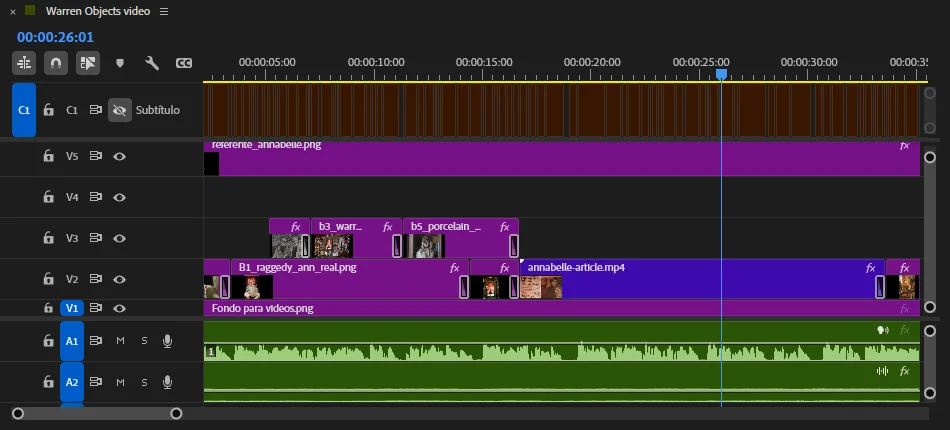
- Assemble: the panel finds each start phrase in the SRT, places each image on its track in the chosen layout and slot, and applies entrances, exits and Film Dissolves.
- Add section overlays: the section reference and logo mark fade in and out with each section.
- Fix individual clips with one-click entrance and exit animations.
Steps 5, 7 and 8
Reusable layouts: Rectangle, Horizontal, Trio, Vertical + Horizontal.
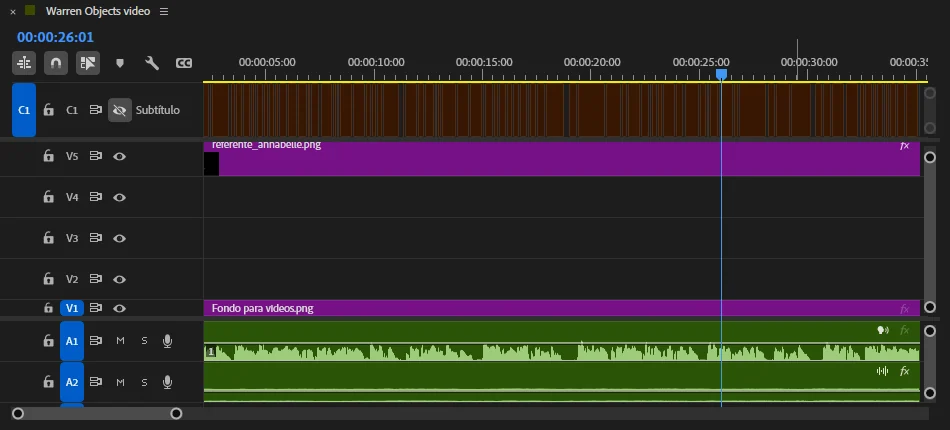
Track structure: background, scene visuals, section references, branding, captions.
Deliverables & contribution
Deliverables
Used in production on Every Starseed Explained in 13 Minutes (13:23).
Contribution
I designed the workflow, production logic, automation rules, inputs and outputs, and creative constraints. I built it with AI-assisted development: Claude and ChatGPT translated my specifications into code and helped me troubleshoot and iterate.
Result
Producing a complete long-form video went from more than 30 hours to under 20 hours. The system is still being developed to cut that further.
Learnings
The biggest gain came from defining creative decisions before entering the timeline. Automation works far better when layouts, timing rules, transitions and exceptions are explicit rather than ambiguous. Next: reduce the remaining manual cleanup and expand what the system automates reliably.